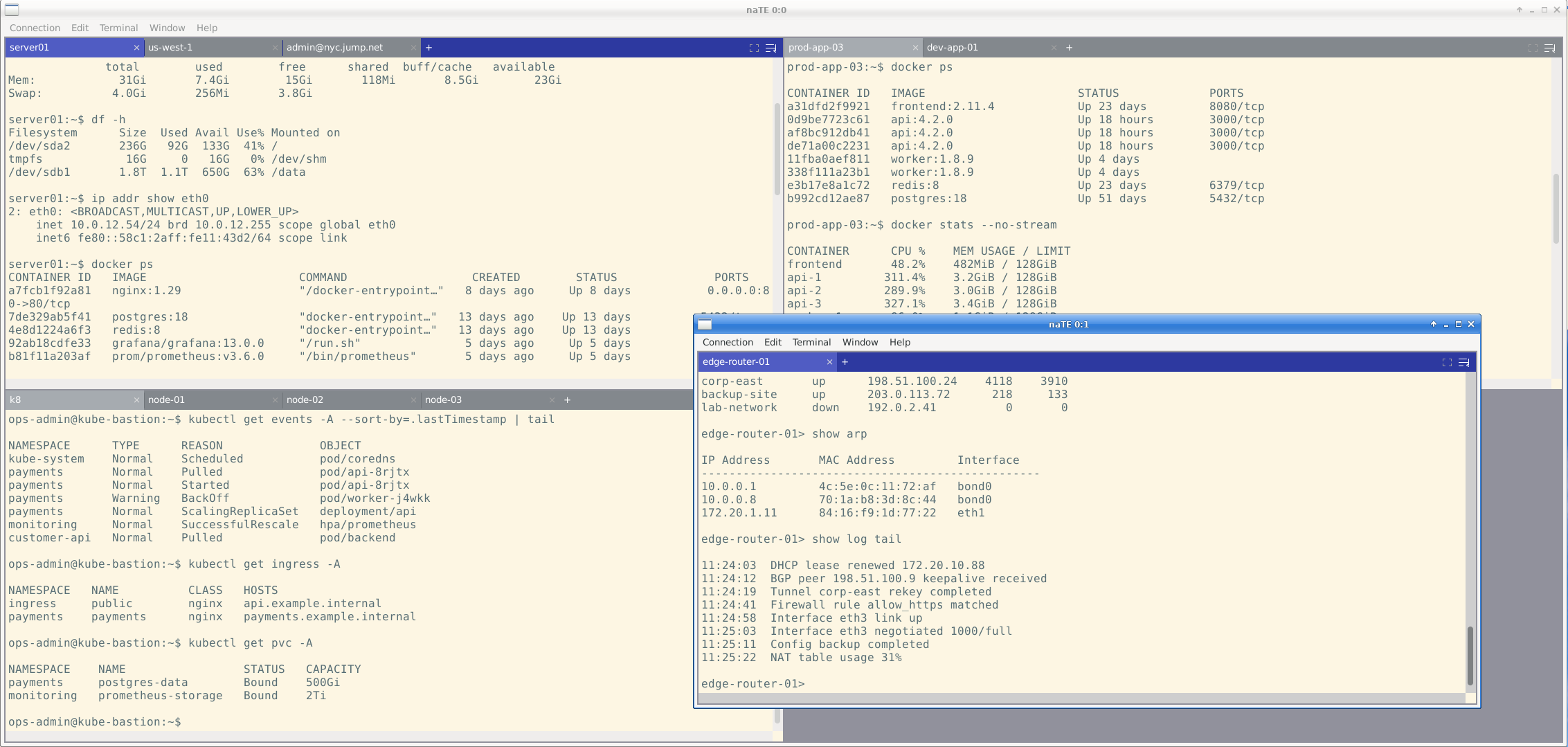
What's in it
Built around how real terminal work happens.
Six thematic areas. Each capability is present because the workflow that needs it is common in production engineering environments.
SSH — The Killer Feature
Full libssh2 integration, native
- Authentication: password, public key, SSH agent, keyboard-interactive (MFA — Duo, YubiKey, PAM)
- SSH agent forwarding (
-A); SSH agent identity hints for multi-key setups - X11 forwarding per connection profile — Xauthority cookie generated automatically
- ProxyJump / bastion hop, auto-detected from
~/.ssh/config - Auto-populate from
~/.ssh/config— hosts, identity files, ProxyJump rules - SFTP file transfer over the existing authenticated session — no re-authentication
- Working-directory tracking — shells emitting OSC 7 update the tracked CWD continuously; a
pwdsubchannel captures the final CWD at disconnect for accurate session restore - Optional connection compression
- Reconnect bar when a connection drops — resume without re-entering credentials
Port Forwarding
Tunnels, managed like sessions
- Local (
-L) and remote (-R) TCP forwarding, opened from an inline panel in the tile title bar showing every active tunnel with its endpoints and live status - Add or stop forwards without reconnecting the underlying session
- Forwards can be saved to a connection profile, so a tunnel you always need opens automatically on every connect
- Forward health detection — naTE probes a new local forward immediately: a forward refused by server policy shows a red error with the reason, an unreachable target shows an amber warning that clears itself once the first connection succeeds
- A verification dialog confirms connectivity before the panel closes, so you know the tunnel is live before you depend on it
File Explorer & Transfer — naFX
Browse and move files without leaving the session
- Opens over the SSH connection a session already has — no sshfs, no second login, no interruption to the running shell
- Explore mode — single-pane browsing with sortable columns, glob/substring filtering, hidden-file toggle, and a context menu for open-in-editor, rename, delete, new folder, and permission editing
- Transfer mode — dual-pane, with either side pointed at This computer or any active SSH session, so uploads, downloads, and server-to-server copies all work the same way
- Free-space and readability checks run before a batch starts, not mid-transfer; Cancel is the default button so an unread dialog starts nothing
- Directories transfer recursively; symlinks are kept or skipped per your preference, and a copy never descends through a link either way
Tiling, Tabs & Sessions
Sessions as first-class objects
- Each window holds one or more tiles in a grid; each tile has its own tab strip
- Drag tabs between tiles or onto other windows; drag the tile header to relocate the whole tile
- Broadcast input — send the same keystrokes to multiple sessions simultaneously
- Auto-save and restore open sessions on launch; named workspaces save and switch between layouts
- Scrollback persistence — opt-in save/restore of a session's scrollback across restarts, with a separator marking where old output ends and new begins
- Horizontal or vertical tiling direction set per window, with a global default
- Session initialization — per-connection working directory, environment variables, env-file loading, and a login-shell option; profile titles override dynamic hostnames for clearer tab identity
- Confirm-close protection — a dialog warns before closing a window with active sessions; auto-suppressed for single-session close, with a per-dialog "Don't ask again" option
Terminal Internals
A real, complete VT implementation
- Hand-written VT100 / ANSI parser — SGR attributes, OSC sequences
- UTF-8 rendering with wide / CJK character support — double-width characters occupy two cells, with per-glyph drawing that avoids font-fallback advance drift
- Configurable scrollback buffer (default 100,000 lines)
- Alternate screen support for full-screen TUI apps (
vim,htop,tmux) — with a manual toggle button in the tile title bar - Find in Terminal (
Ctrl+Shift+F) — case-insensitive search across the full scrollback with match highlighting and forward/backward navigation; pre-populates from the active selection; live search updates the match list as new output arrives, tracking the tail at the bottom of the viewport or holding position when scrolled up - Mouse selection — click-drag to select; double-click selects the word under the cursor (configurable regex word-boundary); triple-click selects the line
- Bracketed paste with optional confirmation dialog; URL detection and click-to-open
Serial, Themes & Appearance
Customizable down to the cell
- Serial console support — configurable baud rate, data bits, stop bits, parity, flow control
- Optional dial script executed before I/O (for modem-style connections)
- Built-in themes: Solarized Dark, Solarized Light, xterm
- 250+ community themes via drop-in base16 YAML — both v0.x flat format and v2 nested format supported; pull from
tinted-theming/base16-schemesdirectly - Custom
.initheme format with independent regular/bright variants, dropped into~/.nate/themes/ - Font family and size picker (monospace only); cursor styles (block, bar, underline) with optional blink
- Bell modes: none, visual flash, audible; configurable cell padding
- Per-profile word-wrap and column-width overrides in the connection manager
Feature spotlight
Wrap mode and column width — actually decoupled
In a classic terminal, the shell's reported width equals the window width. Any output beyond that column is silently truncated and lost. naTE decouples these.
You can set a column width — what the shell believes the terminal is, e.g. 220 columns — independently of the visible tile width. Long lines are captured in full rather than discarded. The wrap button in the tile title bar then controls how those lines are presented: wrap on reflows them into the visible area; wrap off lets the viewport scroll horizontally so each line stays on one row. Per-connection column-width overrides are available in the connection profile, so high-throughput log monitoring on a specific host doesn't get clipped by your local window size.
Feature spotlight
Edit Remote File — your local editor, on remote files
Editing remote files used to mean either learning vim well enough to live in it over SSH, or running scp to pull a file, editing locally, then pushing it back. naTE eliminates the choice.
Terminal → Edit Remote File downloads the file to a temporary path, opens it in your configured local editor ($EDITOR or a path set in Preferences), and then watches the temp file via inotify. Every time you save, naTE re-uploads automatically. It handles both direct-save editors like vim and nano and atomic-rename editors like VSCode and gedit transparently. The remote authentication context is reused — no second login, no extra credentials.
Feature spotlight
naFX transfer mode — safety checks that actually run
Server-to-server file transfer usually means picking a middleman tool and hoping it handles the edge cases. naFX's transfer mode is built to make those edge cases boring.
Before a batch starts, naTE totals it and checks it against the destination's free space — and only interrupts you when there's something worth saying: it won't fit, the destination is read-only, part of the selection couldn't be read, or the batch is large enough that the server can't report free space at all. Cancel is the default button, so a dialog dismissed unread starts nothing. Name conflicts ask overwrite / keep both / skip, with skip as the default and the option to apply your answer to the rest of the queue. Recursive copies follow symlinks or skip them per your preference, but never descend through a link — so a link back to a parent directory can't turn a copy into an infinite one.